HomeProducts › Taskido

Taskido app icon

Taskido

A product by AKSS Business Solutions

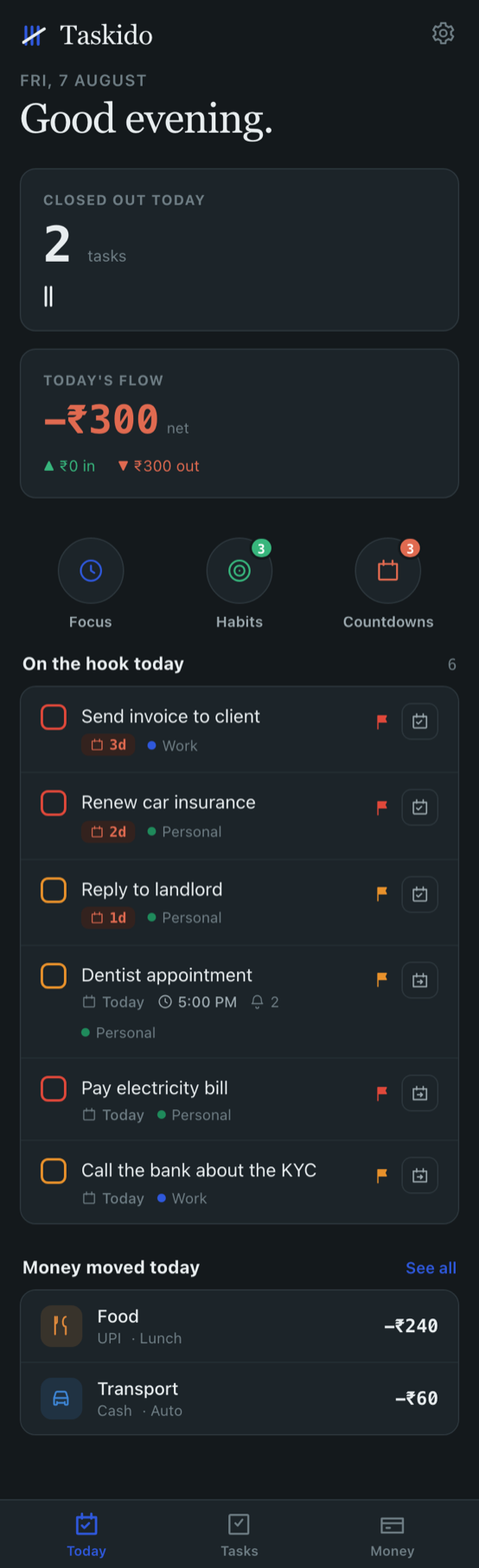
Tasks, notes, money, a focus timer, habit streaks and countdowns to the days you care about — in one calm app that keeps everything on your own phone. No account. No ads. Nothing watching you.

Works offline No sign‑up needed No ads, no trackers Focus · Habits · Countdowns free
Coming soon to Google Play Coming soon to App Store

Email me when it launches →

Why we built it

Six apps to run one ordinary day.

A reminder app that nags. A notes app full of half‑finished lists. A spending tracker you gave up on in week two. A pomodoro timer. A habit tracker. A countdown widget for the birthday you keep forgetting. None of them talk to each other, and most of them quietly ship your data somewhere. Taskido replaces the lot with something calmer.

One place, one habit

Tasks, notes, spending, focus sessions, streaks and countdowns live under one roof, so there is a single app to open instead of six to remember.

Your data stays yours

Everything is stored on your device. There is no account to create, no server holding your records, and no third party we sell them to — because there isn't one.

Fast enough to actually use

Adding a task or logging a spend takes seconds — by typing or just by speaking. A tracker you abandon is worse than no tracker at all.

Tasks & reminders

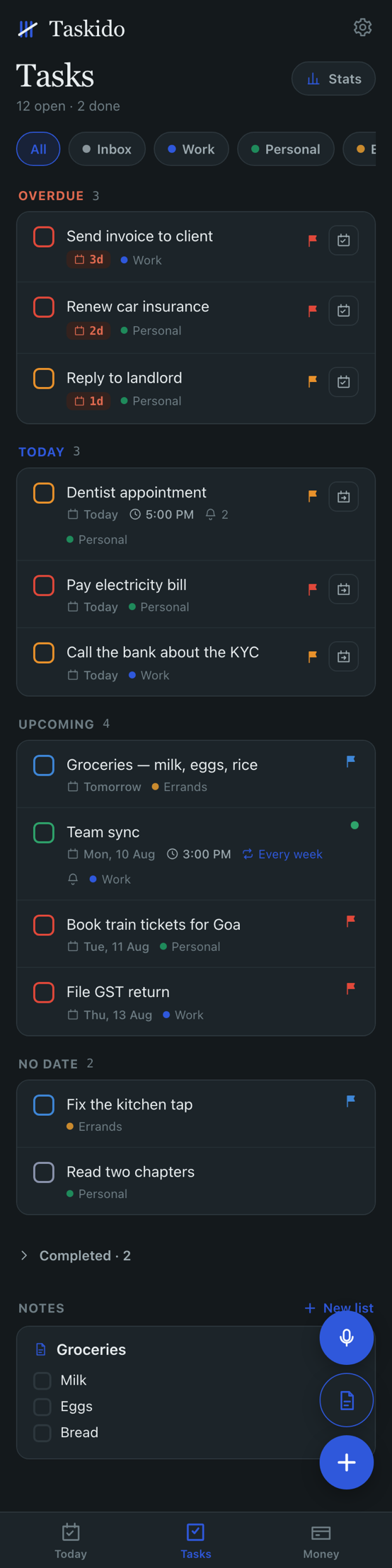
A to‑do list that reflects your actual day.

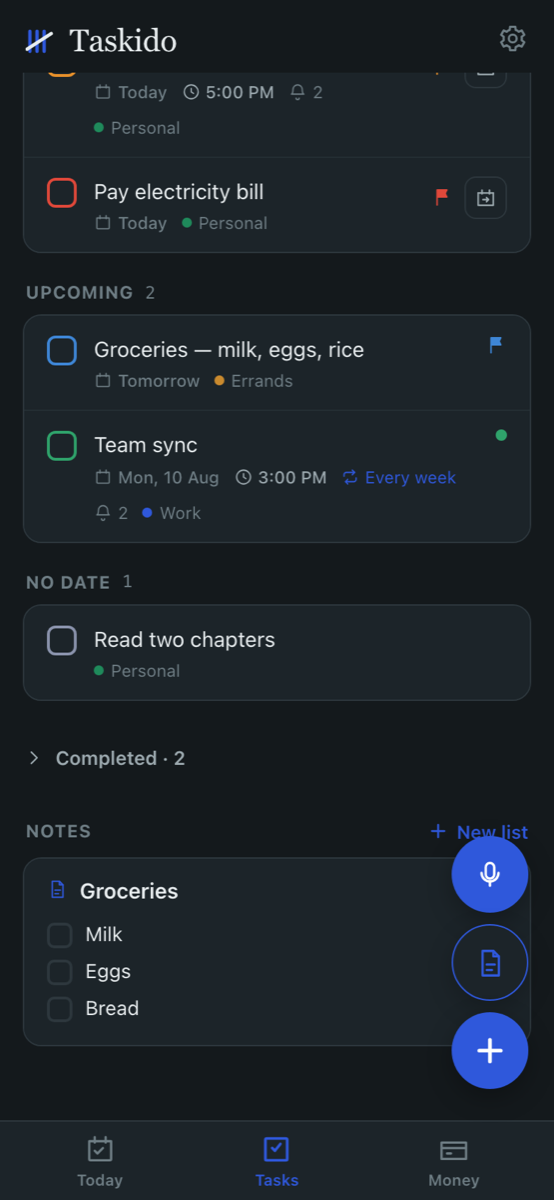
Capture it the moment you think of it, and let the today view show you only what matters right now.

  • Today view — what is due, what is overdue, and nothing else competing for attention.
  • Subtasks — break the big thing into the three small things it really is.
  • Recurring tasks — rent, medicines, the weekly call. Set it once.
  • Voice add — hold the mic, say it, done. Useful when your hands are full.
  • Custom lists — work, home, personal, whatever way your head is organised.
Focus

A timer you set by spinning it.

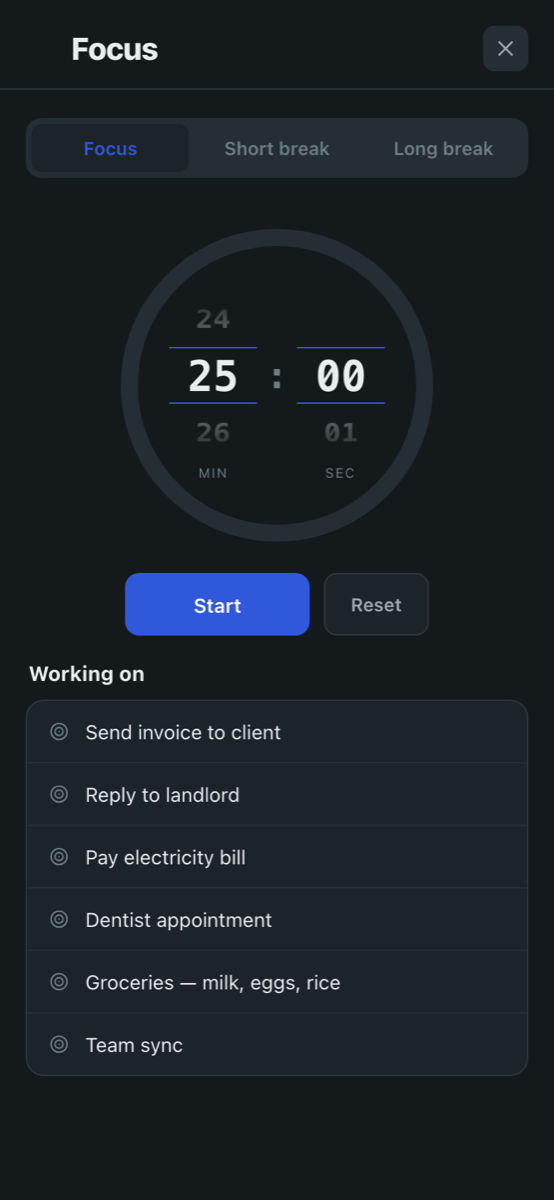
Twenty‑five minutes on one thing. The wheels are the clock — scroll to the length you want and press start. No settings screen, no edit mode, no menu of presets to wade through.

  • Focus, short break, long break — three lengths, one tap apart.
  • Pick what you are working on — attach the session to a real task from your list, so the time lands somewhere.
  • Set any length — spin the minute and second wheels to whatever suits the job, not just the classic 25.
  • Free — no paywall on the timer, ever.
Everyday money

See where the month actually went.

Not accounting software. Just a quick, honest record of what came in and what went out — the kind you will still be keeping in three months.

  • Two‑tap entry — amount, category, done. Or dictate it.
  • Budgets — set a monthly limit per category and watch it, before the month ends rather than after.
  • Receipt scanning — point the camera at a bill and let it read the total. The scanning runs entirely on your phone; no image is ever uploaded.
  • Reports & Excel export — a clean monthly picture, and your own data out in a spreadsheet whenever you want it.
  • Recurring entries — salary, rent, subscriptions, logged automatically.
  • Looking ahead — what is already committed over the coming weeks, and the day you dip lowest before payday.
Habits

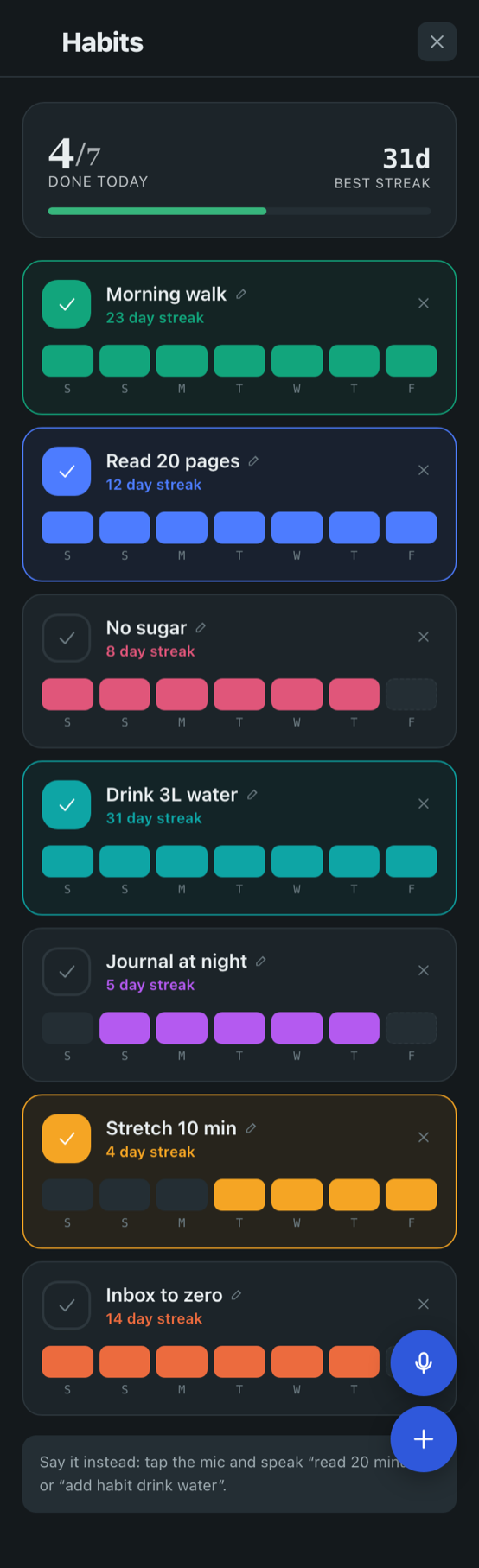
The streak is the point.

Five things you are trying to do every day, and an honest week at a glance. No coaching, no badges, no notifications guilt‑tripping you at 9pm — just the squares, filled in or not.

  • Seven days on one row — this week's run, per habit, in one glance.
  • Real streak counts — current streak per habit, and your best run across all of them.
  • Done today, at the top — 3 of 5 ticked, and the card goes green when you finish the set.
  • Add one by speaking — tap the mic, say the habit, it's on the list.
  • Free — habits are part of the free app.
Countdowns

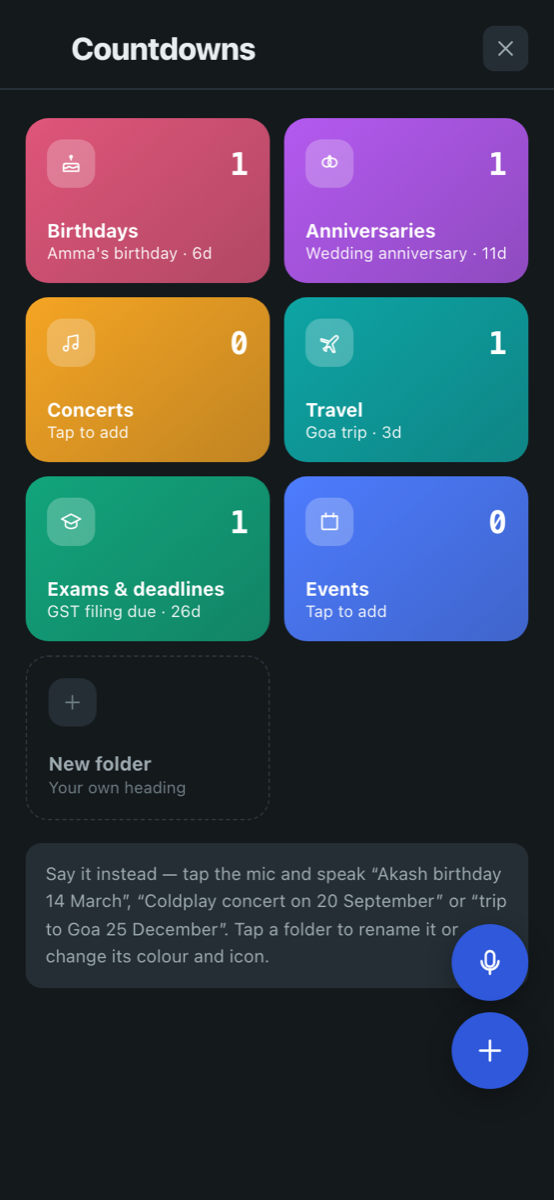
Never be the one who forgot.

Birthdays, anniversaries, the trip, the filing deadline. Sorted into folders you can colour and rename, counting down on the home screen so the date arrives before the panic does.

  • Birthdays that repeat themselves — set it once, and it tells you the age they are turning each year.
  • Say it instead of typing it — "Akash birthday 14 March", "trip to Goa 25 December". It parses the date for you.
  • Your own folders — rename them, recolour them, pick the icon. Six to start with, more if you want them.
  • On the home screen — the next one up, with days left, right where you will see it.
  • Free — countdowns are part of the free app.
Notes & checklists

Lists that tidy up after themselves.

The grocery run, the packing list, the shopping list you keep re‑typing into a chat with yourself.

  • Tick and strike — items cross themselves out as you shop.
  • Finished lists move on — completed lists file themselves away instead of cluttering the screen.
  • Links become readable — paste a link and it names itself, so a note is not a wall of URLs.
  • Voice notes — start a list by talking to it.
Privacy

The part most apps put in a policy nobody reads.

Here it is in plain words instead.

No account, no cloud copy

Taskido works the moment you open it. Your tasks, notes and transactions are written to your phone's own storage — we do not hold a copy, because there is no server holding one.

No ads, no analytics SDKs

The app ships with no advertising network and no third‑party analytics library inside it. Nothing is profiling you between screens.

Receipt scanning runs on‑device

The text recognition engine is bundled into the app itself. Photographs of your bills are processed on your phone and never sent anywhere.

Your data, exportable

Export to Excel whenever you like. It is your record of your life; you should be able to walk away with it.

Full app privacy policy: taskidoapp.com/privacy

Pricing

Free to use. Premium if you want the deep end.

The everyday app is free and stays free. Premium unlocks the heavier tools, with a 7‑day trial so you can decide with your own data in front of you.

Free

Everything you need daily

  • Tasks, reminders and custom lists
  • Notes and checklists
  • Expense and income tracking
  • Focus timer — the whole thing, unlocked
  • Habits and streaks — unlimited
  • Countdowns — all folders, your own too
  • App Lock
  • No ads — ever, on any plan
Premium · ₹399 / year

For the ones who go deeper

  • Reports and Excel export
  • Budgets and recurring entries
  • Receipt scanning (on‑device OCR)
  • Subtasks and productivity stats
  • Voice entry for tasks and spends

Includes a 7‑day free trial. Cancel any time through your store account.

Questions

Before you ask

When will Taskido be available to download?

It is in its final testing round, and the Google Play and App Store listings are being prepared. Leave your email on our contact page and we will send exactly one message on launch day.

Do I need to create an account?

No. Taskido opens straight into the app. There is nothing to sign up for, because there is no server holding your data.

If my data is only on my phone, what happens when I change phones?

You can export your records and bring them across. Keeping everything local is a deliberate trade: you give up automatic cloud sync, and in return nobody else ever holds a copy of your tasks and spending.

Does Taskido show ads?

No. There is no advertising in the app on any plan, and no ad network code inside it.

Which platforms does it run on?

Android and iOS, built from one shared codebase so both platforms get the same features at the same time.

How do I report a bug or ask for a feature?

Write to us at ceo@akssbusinesssolutions.com or use the enquiry form. A person reads every message.

Launch list

Be told the day it goes live.

One email, on launch day. No newsletter, no drip campaign, no sharing your address with anyone.